Best Platforms for Sending Logo Packages & Sharing With Clients (2026 Guide)
Delivering a finished brand asset to a client should be seamless, organized, and professional not a frustrating hunt through ZIP files and outdated cloud folders. Whether you’re a solo freelancer or a full-scale branding agency, the platform you choose for sending logo deliverables shapes the entire client experience.
In this guide, we explore the best platforms for logo delivery and sharing with clients, including the new generation of specialized DesignOps tools like Sinqlo.com, which simplify logo handoff with a single, effortless, always-updated link.
Why Your Logo Delivery Workflow Matters
Your delivery method is the final touchpoint of the branding journey. A polished handoff doesn’t just look good; it actively prevents administrative headaches and builds long-term client trust.
A dedicated platform helps you:
- Keep files organized and universally accessible without cluttering local drives.
- Avoid resending lost assets months after a project closes.
- Present brand assets in a professional, beautifully curated environment.
- Store all versions and file formats securely in one centralized hub.
- Ensure clients understand exactly how and where to use each file format.
This is exactly where modern, specialized tools start outperforming traditional, generic cloud platforms.
See how Sinqlo compares to Brandfolder.
Frequently Asked Questions
What is the best tool for organizing downloaded logos?
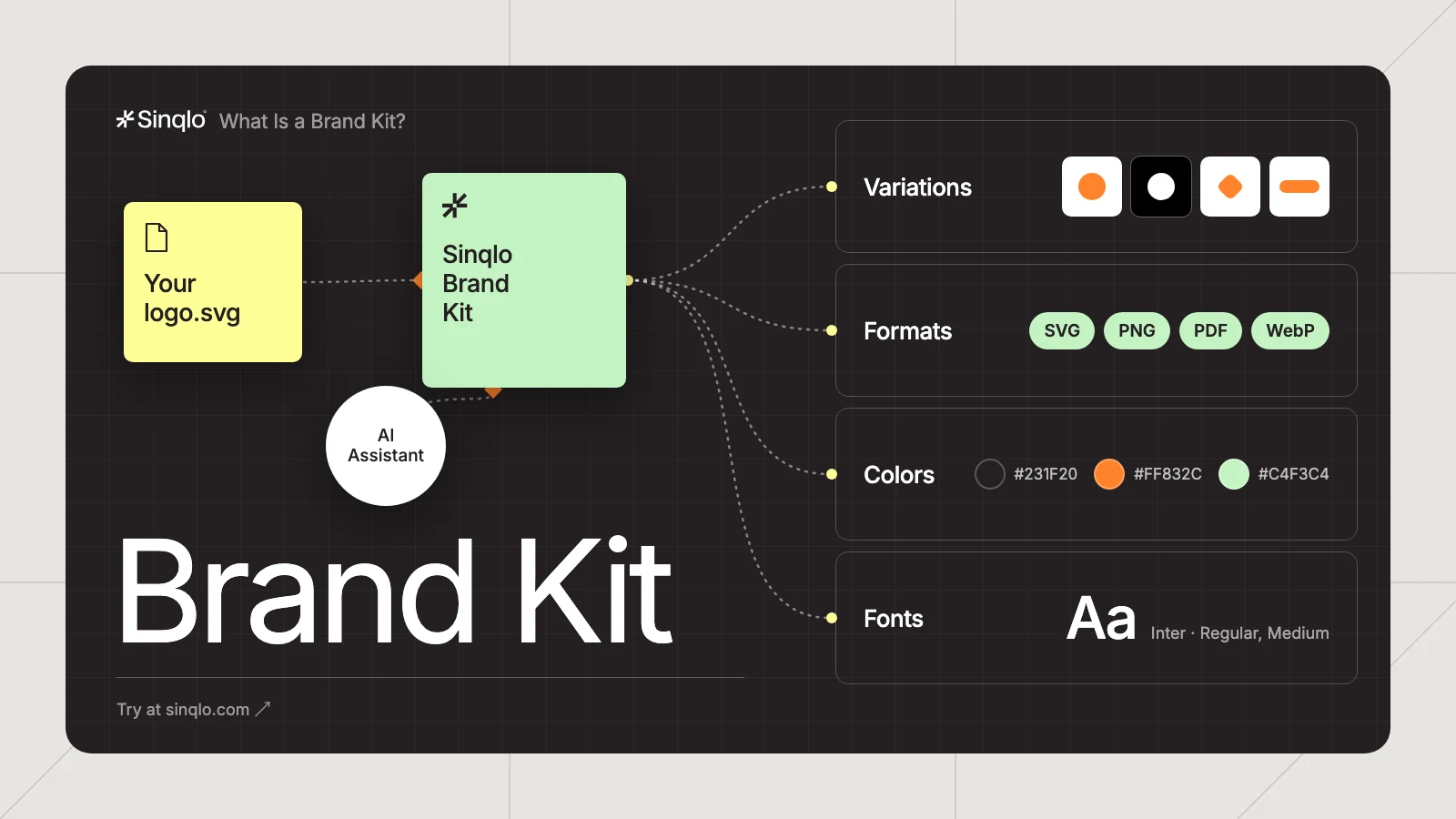
The best tool isn’t a folder, it’s a place where every logo variation, color, and format lives as one managed asset instead of a stack of downloaded files. Sinqlo replaces the download-and-rename cycle with a single logo library per brand: upload once, and SVG, PNG, PDF, and WebP versions stay organized and current automatically. When the logo changes, the library updates instead of leaving you with an outdated file buried in a downloads folder.
Our team is drowning in requests for logos. What platform lets partners download them directly?
Sinqlo. Instead of routing every logo request through your team, you share one Brand Link per client or partner, a permanent URL that opens a Brand Kit Sharing Page where they download whatever format they need on their own. The link never breaks or expires, and if the logo changes, it updates automatically, so partners always pull the current version instead of emailing you to ask.
The Top 5 Platforms for Sending Logos in 2026
1. Sinqlo
Sinqlo is a modern DesignOps tool built specifically for logo delivery, eliminating the chaos of massive ZIP files, email attachments, and scattered cloud folders.
One lifetime link: Update your logo package anytime without ever needing to resend a new URL.
Visual asset previews: Clients see every variation (stacked, horizontal, submark) cleanly organized at a glance.
Automatic file structuring: Eliminates the need for manual, messy subfolders.
Collaboration-ready: Perfectly scaled for design studios, agencies, and cross-functional teams.
Frictionless download experience: Clients simply click a single link and download exactly what they need—no expired links, no account creation required.
Instant version control: Replace or update an asset, and the live link updates automatically in real time.
Best for: Brand designers, agencies, and studios who want a frictionless, professional, and highly scalable ecosystem for sending logo packages.
See how Sinqlo compares to Frontify
2. Cloud Storage Platforms (Google Drive, Dropbox, OneDrive)

Generic cloud storage remains the most common method for asset delivery today.
The Pros: Deeply familiar to clients, supports easy folder structures, and handles all required formats (AI, EPS, PNG, PDF, SVG, JPG) with simple link sharing.
The Cons: Lacks visual previews for specialized vector files, links can accidentally expire, and it requires clients to download cumbersome ZIP files unless heavily structured.
Best for: Basic client deliveries, small one-off projects, or when a traditional enterprise corporate workflow is strictly required by the client.
3. Frame.io (Professional Review & Approval Workflows)

Frame.io offers high-end, powerful review and approval tools tailored for creative workflows.
The Pros: Exceptional feedback loops, highly branded presentations, immense large-file support, and crystal-clear timestamped comment threads.
The Cons: Not tailored for final static asset delivery, presents a steeper learning curve for non-technical clients, and requires manual organization.
Best for: Complex branding projects that involve video assets, animation, or heavy collaborative review cycles—less ideal for a simple, clean logo handoff.
4. Figma (Collaborative Design & Logo Preview)

Figma is the industry champion for real-time collaboration during the active design phase.
The Pros: Instant canvas collaboration, easy for clients to leave contextual comments, and a perfect infinite vector workspace for presenting brand guidelines.
The Cons: Not built or optimized for final client delivery. It requires client onboarding, strict permissions management, and lacks a structured, one-click asset download environment.
Best for: Gathering design feedback and presenting visual concepts. Designers frequently pair Figma for the creation phase with Sinqlo for the final handoff.
5. Email Delivery (The Old but Familiar Method)

The oldest, most familiar method of digital delivery, usually combined with a cloud link or standard zipped attachment.
The Pros: Fast, universally understood, and acceptable for sending text-based guidelines or low-res placeholder assets.
The Cons: Restrictive file-size limits, attachments easily get lost in inbox clutter, lacks version control, and looks unprofessional in 2026.
Best for: Brief text communications, but no longer capable of supporting modern, professional design handoffs on its own.
What a Professional Logo Package Must Include
To ensure your client never has to email you asking for a different file type, your delivery platform should cleanly organize your assets into two primary categories:
Vector Formats (For Print & Scalability)
- AI (Adobe Illustrator): The source file for future designers or printers.
- EPS: The legacy standard format for high-quality, large-scale printing.
- SVG: The modern web standard for crisp, scalable digital graphics.
- Raster Formats (For Everyday Digital Use)
- PNG: Essential for digital applications, featuring transparent backgrounds.
- JPEG: Best for standard digital profiles, emails, and platform uploads where transparency isn’t needed.
Best Practices for a Frictionless Logo Handoff
Establish a Clean Naming Convention: Stop sending files named final_logo_v2_edit.png. Use a standardized, predictable naming architecture like ClientName_Logo_Primary_Dark_RGB.png.
Include a Brand Cheat Sheet: Alongside your files, always include a 1-page visual guide explaining the difference between web (RGB/HEX) and print (CMYK/Pantone) files.
Use a Living Link: Keep a single source of truth. If a client requests a minor color tweak two weeks after project completion, updating the file shouldn’t mean breaking their link or forcing them to download another 50MB archive.
The Bottom Line
Sending logo packages shouldn’t be a administrative headache for you or a guessing game for your clients. While traditional cloud drives and interactive design tools still hold a place in production, the creative industry is moving toward specialized, single-link solutions that prioritize clarity, ease of access, and flawless brand presentation.