Free
€0
forever
Get started with the essentials.
- Up to 3 brand kits
- Logo variations
- Auto exports (SVG, PNG, PDF, WebP)
- Client access codes
Upload a logo once. Sinqlo builds every variation, format, color and font on a brand kit page your client can open anytime, plus an agent-ready brand kit that Claude and your other AI tools can read.
Animation: a logo file is uploaded to Sinqlo, the AI Assistant generates four logo variations, detects three brand colors and the font, exports SVG, PNG, PDF and WebP, and creates one Brand Link to share with the client.
Open the live demo sharing page to see what your client gets.
An agent-ready brand kit is everything an AI needs to use a client’s brand. Logo variations, every format, colors with roles, fonts, brand rules. Sinqlo keeps it current, so no agent ever works from an old logo.
Your client downloads SVG, PNG, PDF and WebP. You didn’t export a single file. That’s 30–45 minutes of manual work per project, gone.
See auto exportsLinks re-sent: 0
Update the logo and the sharing page updates with it. Same Brand Link, newest files. No “can you send the white version again?”
How Brand Links workVariations, colors and fonts, organized per client. Nobody digs through Drive folders for the current version anymore.
Explore the dashboardEveryone has the latest logo
Team Mode keeps every teammate on the current file, in real time. Add a variation once and everyone has it. Available on Studio and Agency plans.
See Team ModeAI agent-ready brand kits
Give a client’s agent-ready brand kit to Claude with your design skill. It starts from the client’s real logos, colors and fonts instead of guessing. Want it hands-free? Connect Sinqlo MCP and agents pull the live kit themselves.
Real kits from iframe design studio. Every design in the carousel was made by Claude from the kit.
Sinqlo brand kit
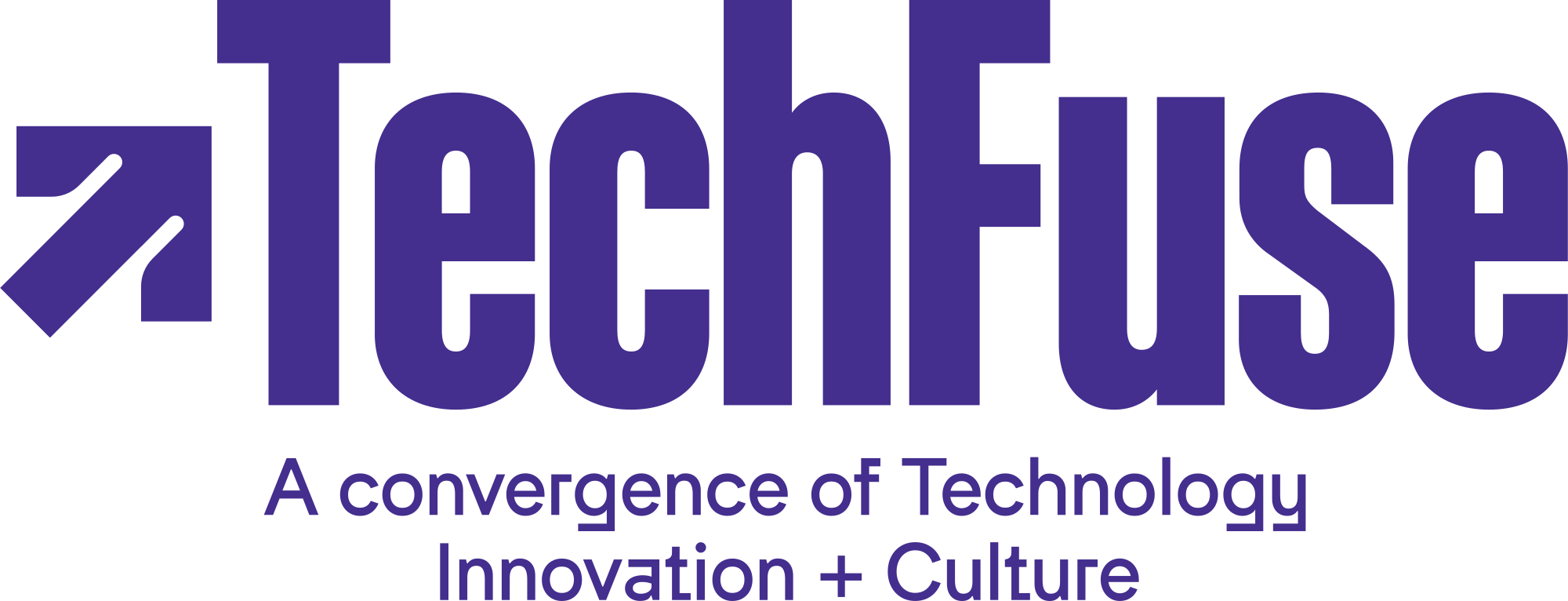
Colors
Font
AaBandeins Strange
Rules, inferred from the studio’s published work, not part of the kit
Sinqlo brand kit

Colors
Font
AaAmerican Typewriter
Rules, inferred from the studio’s published work, not part of the kit
Sinqlo brand kit

Colors
Font
AaSyne
Rules, inferred from the studio’s published work, not part of the kit
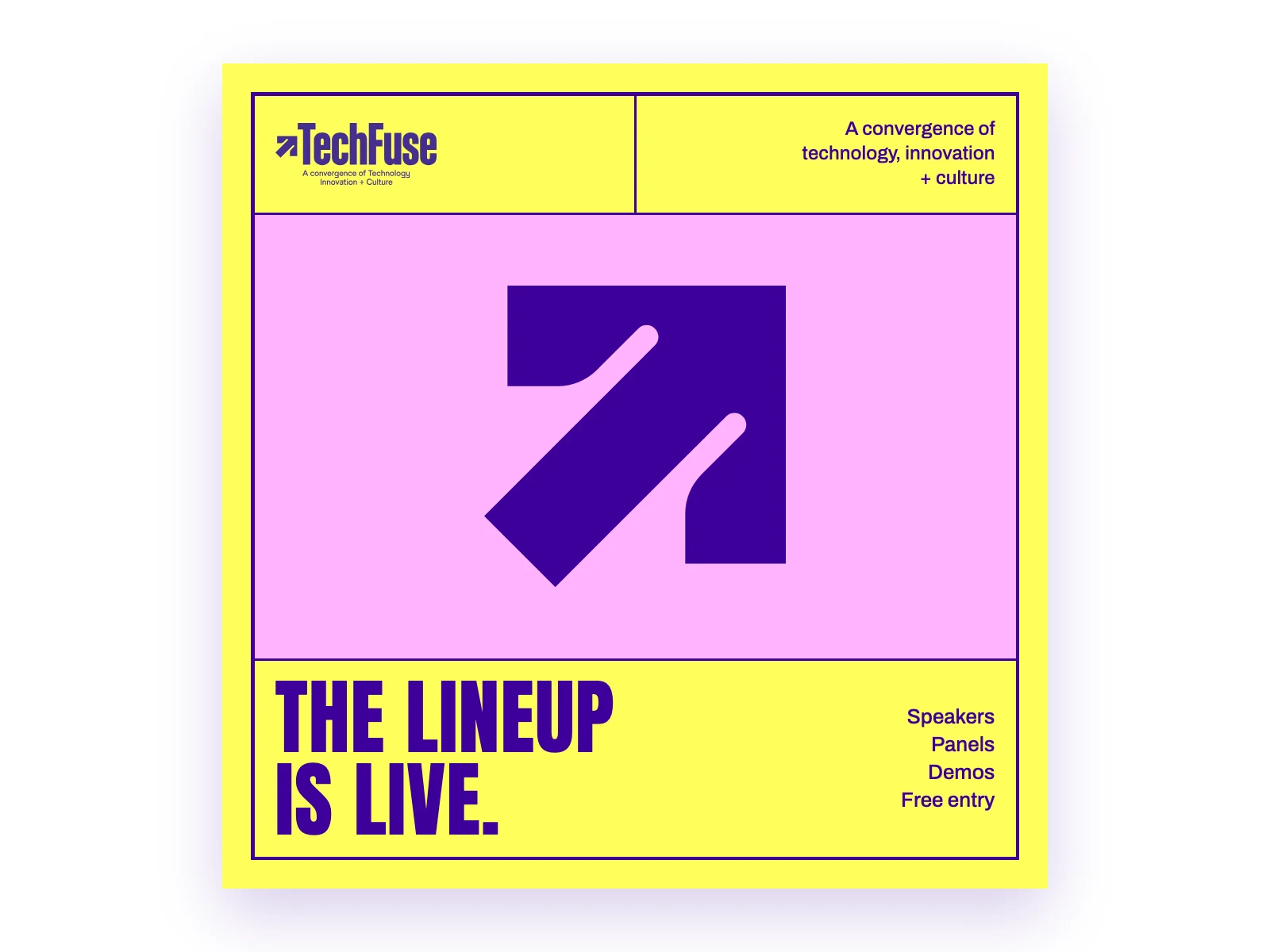
Social post Made by Claude from the TECHFUSE kit’s live data plus the rules shown
Prompt (Claude also had the rules)
Using the TECHFUSE brand kit from Sinqlo, design an Instagram post announcing the speaker lineup. Use only the kit's logos, colors and fonts.
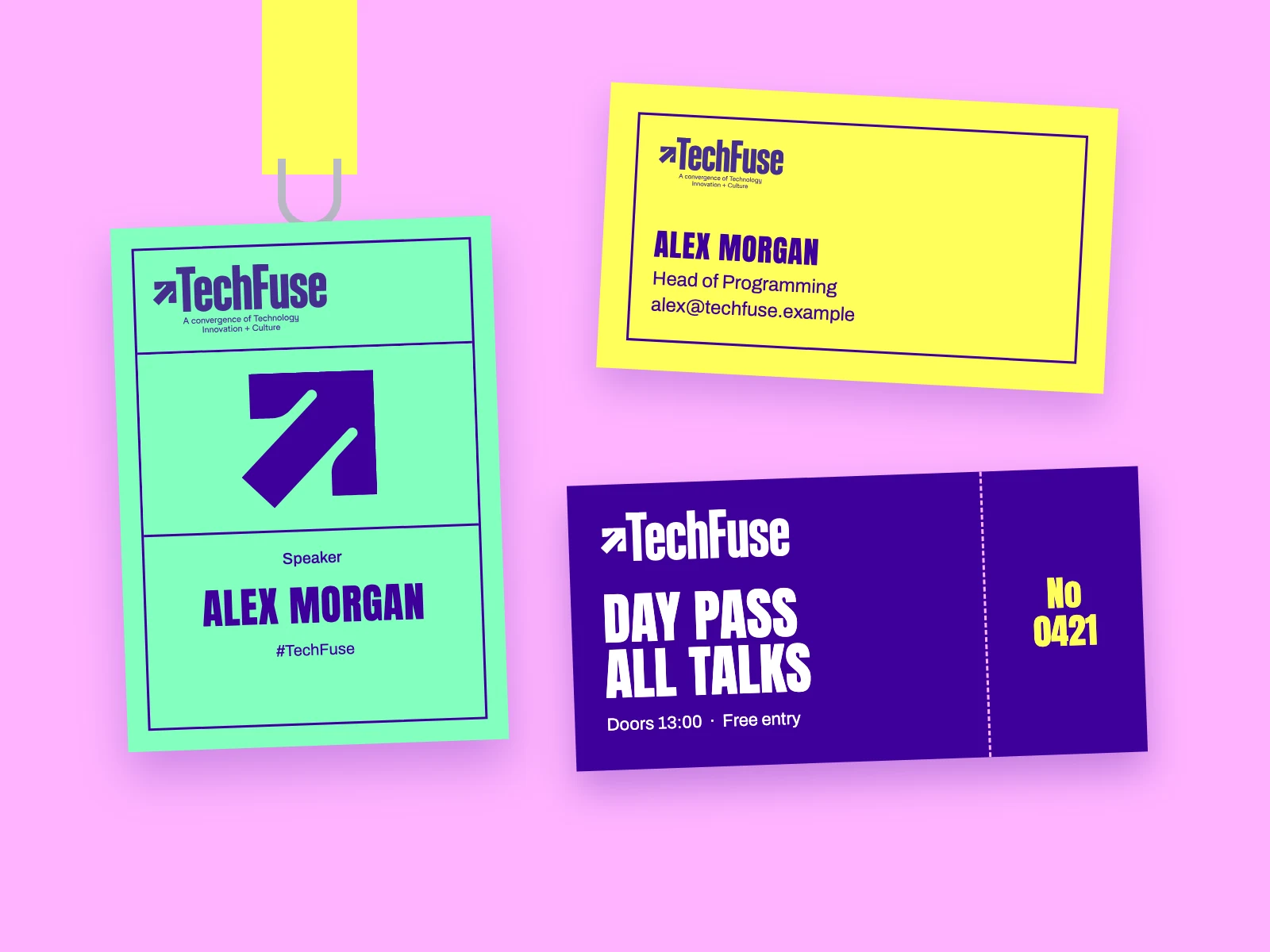
Corporate ID Made by Claude from the TECHFUSE kit’s live data plus the rules shown
Prompt (Claude also had the rules)
Using the TECHFUSE brand kit from Sinqlo, design a speaker badge on a lanyard, a business card and an event ticket. Use only the kit's logos, colors and fonts.
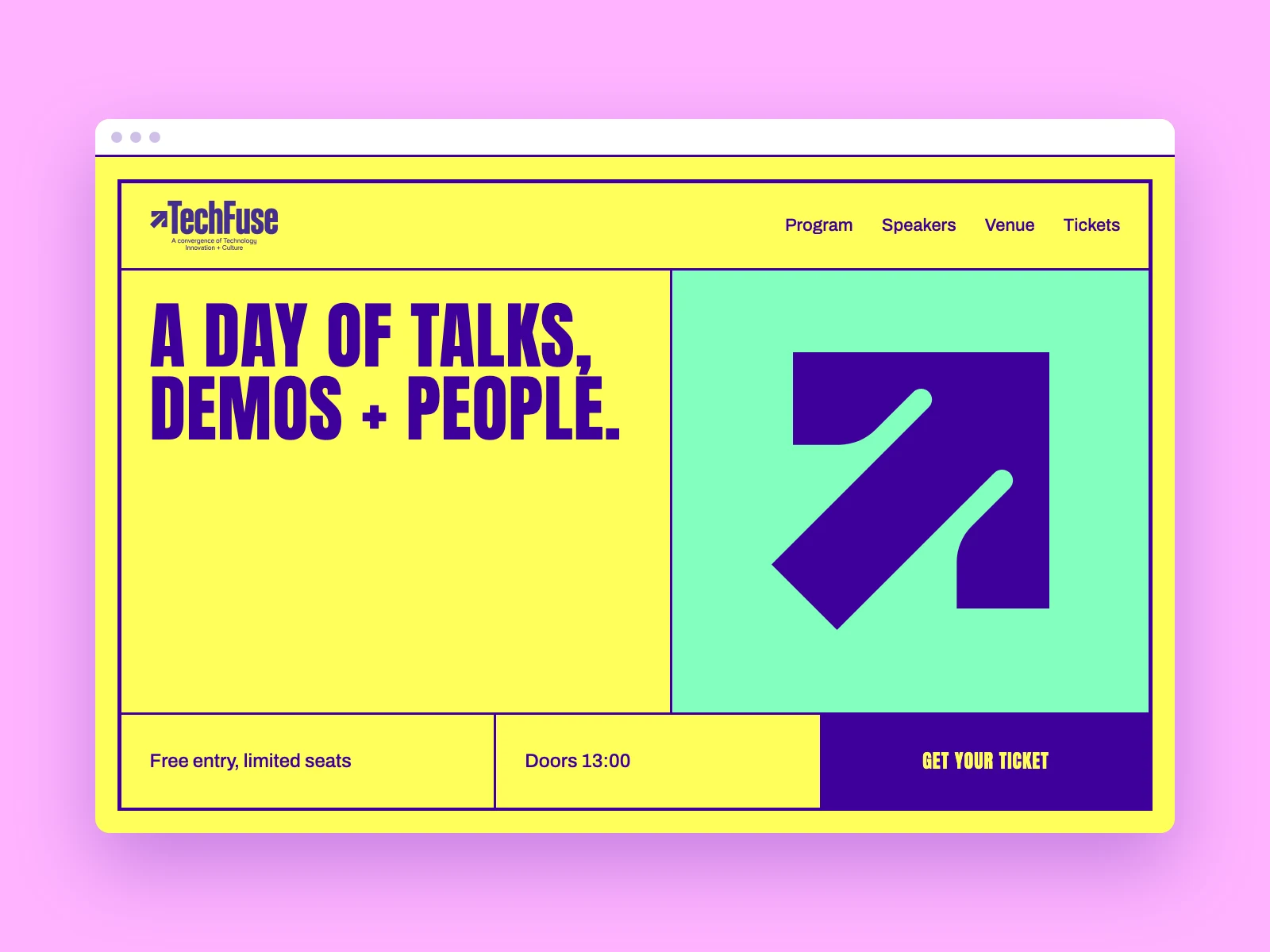
Website Made by Claude from the TECHFUSE kit’s live data plus the rules shown
Prompt (Claude also had the rules)
Using the TECHFUSE brand kit from Sinqlo, design a website hero for the conference with a clear call to action. Use only the kit's logos, colors and fonts.
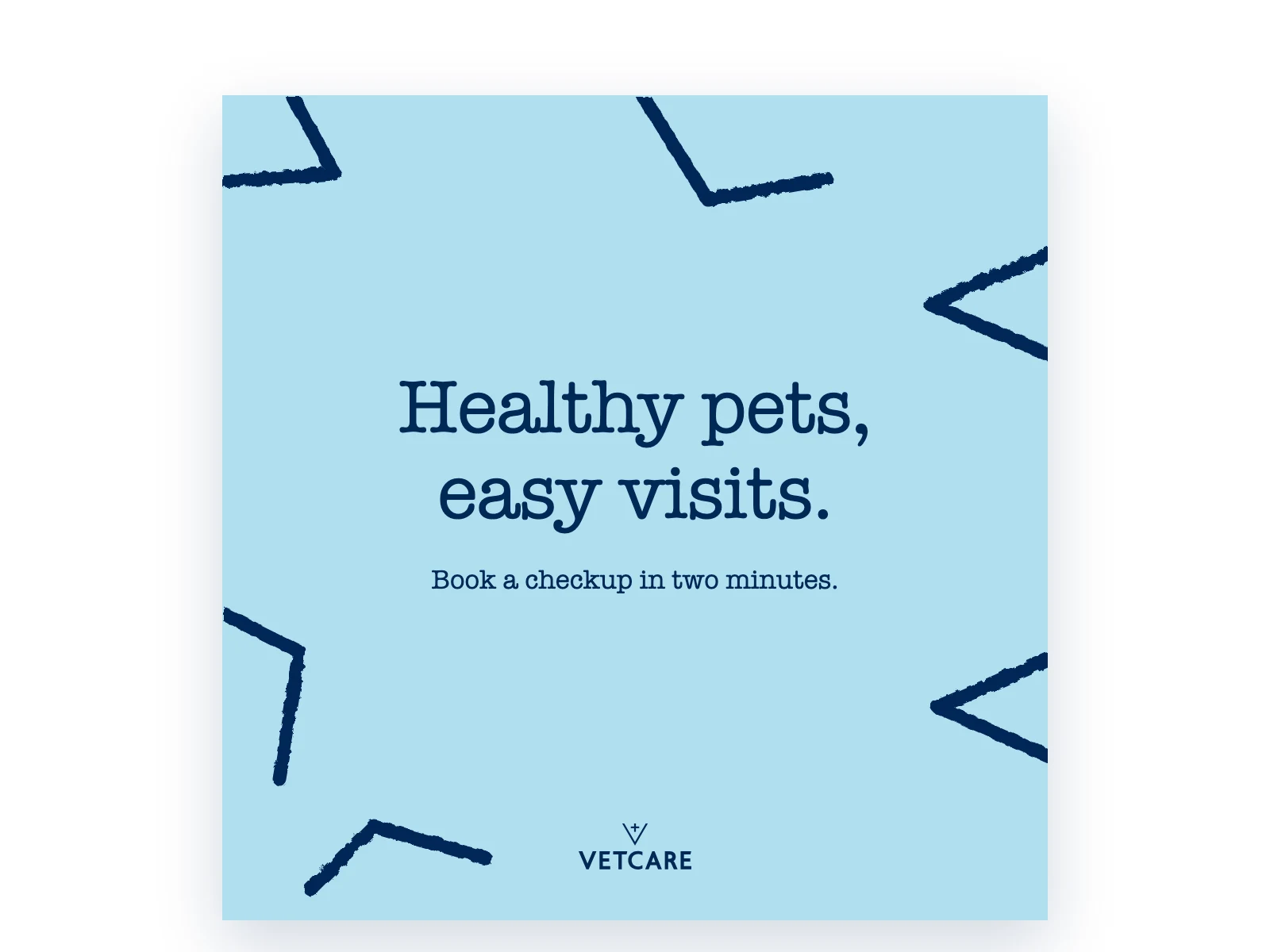
Social post Made by Claude from the VETCARE kit’s live data plus the rules shown
Prompt (Claude also had the rules)
Using the VETCARE brand kit from Sinqlo, design an Instagram post inviting pet owners to book a checkup. Use only the kit's logos, colors and fonts.
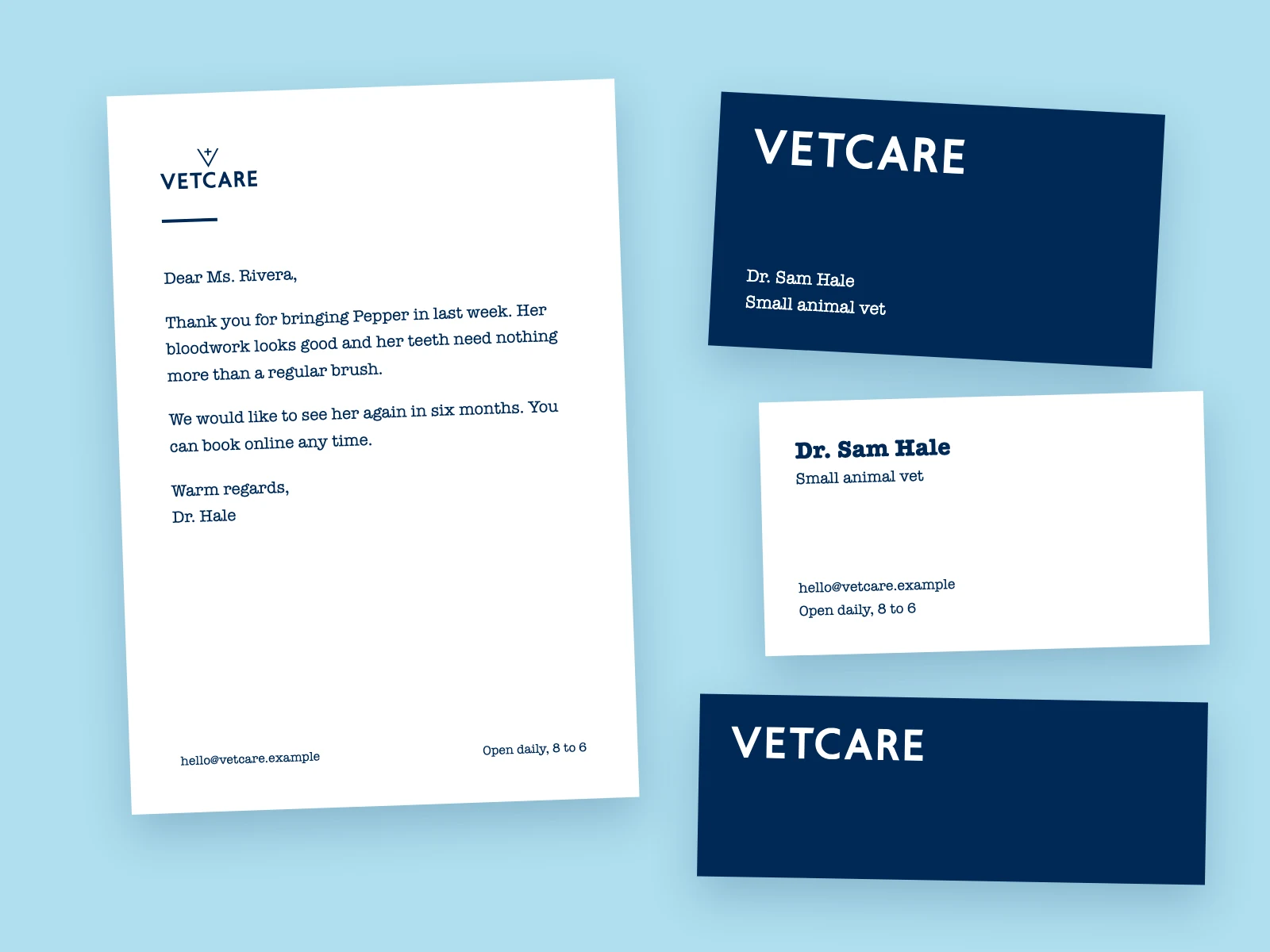
Corporate ID Made by Claude from the VETCARE kit’s live data plus the rules shown
Prompt (Claude also had the rules)
Using the VETCARE brand kit from Sinqlo, design a letterhead, business card and envelope set for the clinic. Use only the kit's logos, colors and fonts.
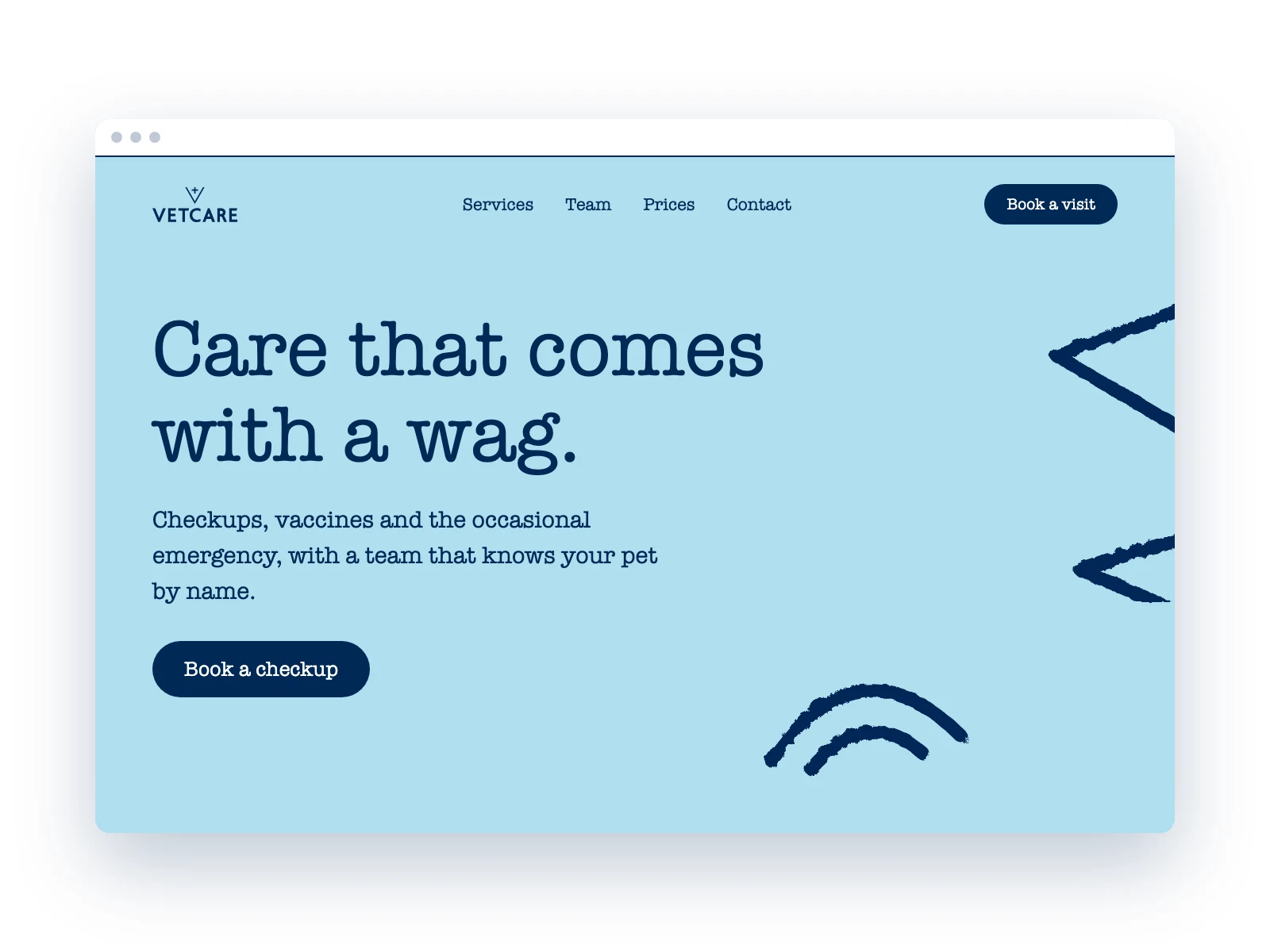
Website Made by Claude from the VETCARE kit’s live data plus the rules shown
Prompt (Claude also had the rules)
Using the VETCARE brand kit from Sinqlo, design a website hero for booking a checkup. Use only the kit's logos, colors and fonts.
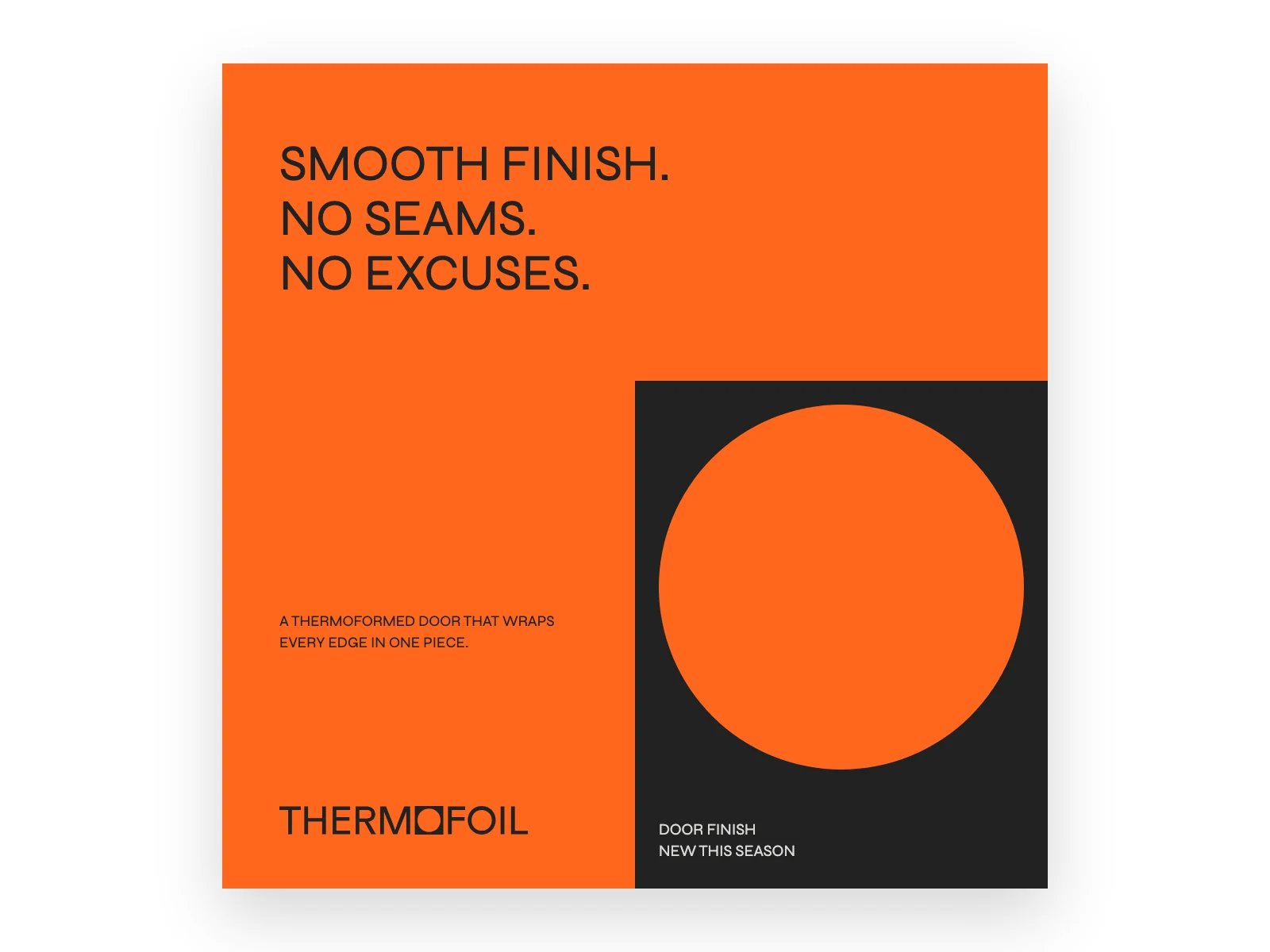
Social post Made by Claude from the THERMOFOIL kit’s live data plus the rules shown
Prompt (Claude also had the rules)
Using the THERMOFOIL brand kit from Sinqlo, design an Instagram post about a new seamless kitchen door finish. Use only the kit's logos, colors and fonts.
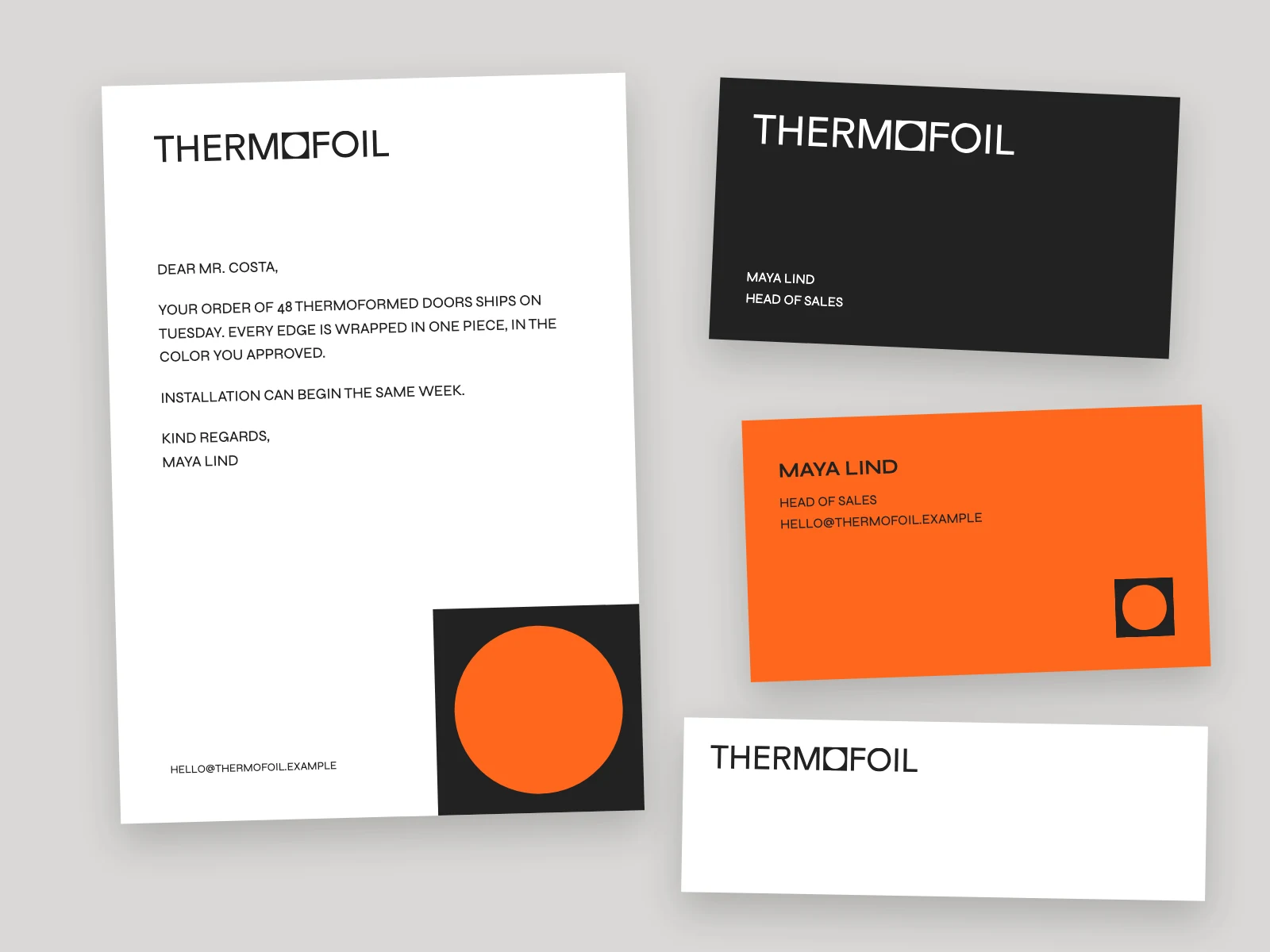
Corporate ID Made by Claude from the THERMOFOIL kit’s live data plus the rules shown
Prompt (Claude also had the rules)
Using the THERMOFOIL brand kit from Sinqlo, design a letterhead, two business cards and an envelope. Use only the kit's logos, colors and fonts.
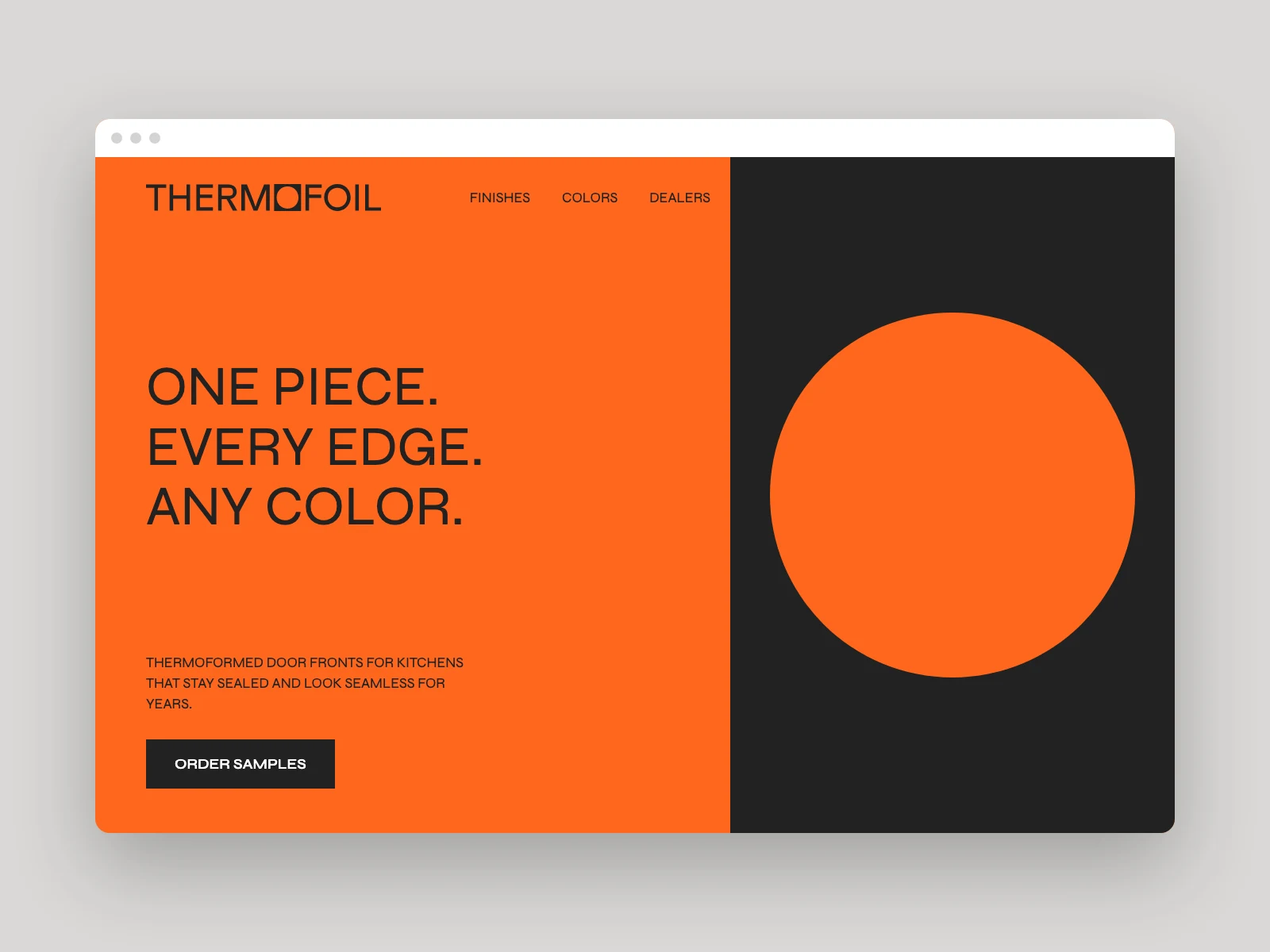
Website Made by Claude from the THERMOFOIL kit’s live data plus the rules shown
Prompt (Claude also had the rules)
Using the THERMOFOIL brand kit from Sinqlo, design a website hero for the door finish range. Use only the kit's logos, colors and fonts.
Claude is the example here. The kit isn’t tied to Claude, and it works with any AI agent.
Paste the kit text into Claude, ChatGPT, Cursor or any other AI agent and start designing.
# VETCARE
## Colors
#002856 · #AFDFEF · #FFFFFF
## Typography
American Typewriter
Or connect Sinqlo MCP and the agent pulls the live kit itself. MCP comes with Studio and up.
get_brand_kitget_logo_image
Agents can read a kit. They never change it.
Reuse the prompt for any brand: swap in the kit, the piece and the purpose.
Using the {brand} brand kit from Sinqlo, design a {piece} for {purpose}. Use only the kit's logos, colors and fonts.Colors, fonts and logos come from each kit through Sinqlo MCP. The rules are Claude’s reading of the studio’s published work, not the kit’s notes. Names, offers, hours and event details in the designs are sample copy. TECHFUSE uses a licensed typeface that isn’t hosted in the kit, so its headlines use a condensed stand-in and its body text uses Archivo.
Works with ClaudeChatGPTCursorFigma pluginNotionSlack
Export 12 files. Rename. Zip. Upload. Send. The client asks for the PNG. The logo changes, so you do it all again. Or you send one link, once.
Start freeNo hidden fees. Start free, cancel anytime.
€0
forever
Get started with the essentials.
€5/mo
billed annually · €6 monthly
Collaboration for growing teams.
€10/mo
billed annually · €12 monthly
Power and scale without limits.
Custom
contact for pricing
Custom solutions for large teams.
Prices in EUR. Secure checkout by Stripe.
FAQ
What clients get, how updates work, and what happens to your files.
Read all FAQsEverything a client needs to use their brand: logo variations in every format (SVG, PNG, PDF, WebP), colors, fonts and notes. In Sinqlo it lives on one brand kit page behind one Brand Link, ready for your AI agents.
Everything updates automatically. No re-uploads, no new links. Every client always sees the latest version, and so does every AI agent reading the kit.
No. Clients click your link, preview the files and download what they need. No logins, no tech hassle.
A brand kit an AI agent can use without guessing: logos named by layout and color, colors with roles, fonts, and your brand rules as plain sentences, all from one live source. Sinqlo kits are agent-ready by default. Agents read them through the Brand Link or through Sinqlo MCP.
Yes. Give Claude the kit’s Brand Link, or connect Sinqlo MCP, and your design skill starts from the client’s real logos, colors and fonts. The MCP connection reads the current kit, so nothing needs pasting again. MCP comes with Studio and up.
By brand name or brand ID. The name works for everyday requests. When two clients have similar names, give the agent the brand ID and it gets that exact kit. Agents can read a kit but never change it.
Yes, through the Brand Link, with no Sinqlo account or plan. If the link has an access code, the agent needs the code too. MCP comes with Studio and up, for the studio that owns the kit.
Blog